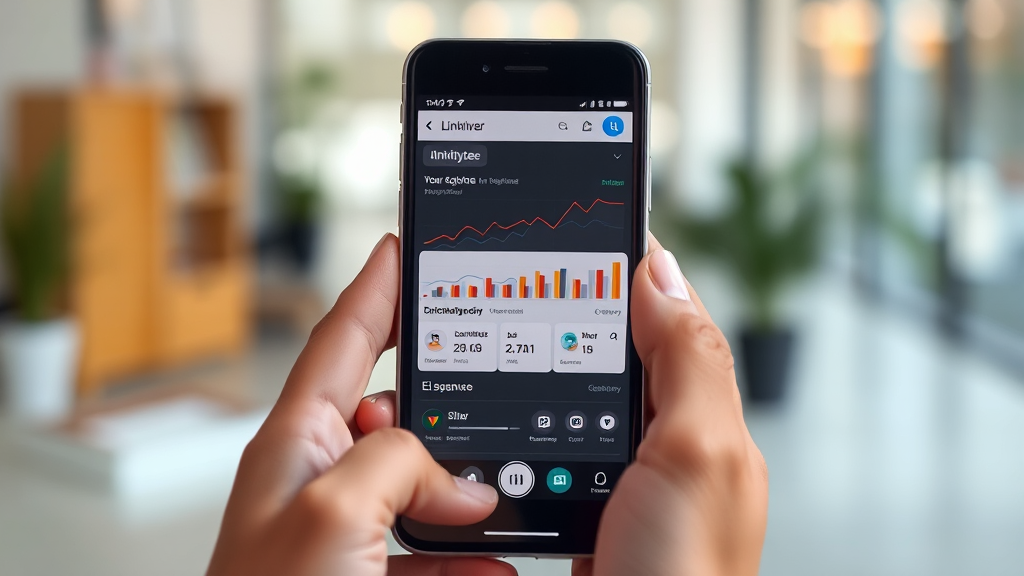
Before You Trust a 3Patti New All Apk Page: What to Verify
Your thumb is hovering over the download button. The page loaded quickly, the colours are loud, the banner promises a welcome offer that sounds generous, and a countdown timer is telling you that you have four minutes to act. Somewhere in the back of your mind, a small voice asks a reasonable question: who actually runs this page, and what happens after I tap install? That hesitation is not paranoia. It is the most useful instinct you have as an adult reader in a market where 3Patti New All Apk pages appear, disappear and reappear under slightly different names every few weeks.
This piece is not a download guide, and it is not an endorsement of any operator. It is a verification framework — a set of things you can check, in order, before you decide whether a page deserves your attention. The approach here mirrors how a bonus-tracking site like 3Patti Game Bonus treats third-party offers: as unverified claims until the visible details line up.
Why “New All Apk” Pages Multiply So Quickly
The phrase “new all apk” is a search pattern, not a brand. It exists because users keep typing it. When a search term has steady demand, pages get built to capture that demand, and many of those pages are thin: a headline, a screenshot, a download button, and very little else. Some are run by operators themselves. Some are run by affiliates who earn a commission per install. Some are recycled domains that previously hosted something completely unrelated.
None of that is automatically malicious. Affiliate pages can be perfectly honest, and operators do release updated builds. The problem is that the format itself — a fresh-looking page with a prominent download link — gives you almost no information about who is behind it. That is why the verification habit matters more than the download itself. You are not evaluating a file; you are evaluating a publisher.
There is also a practical reason these pages churn. App distribution outside official stores is fragmented. A build that works on one device may not install on another. A page that was accurate last month may be pointing at a stale file today. The churn is normal, but it means that any specific page you find should be treated as temporary until it proves otherwise.
The Verification Sequence: Five Checks Before You Tap Install
Run these in order. If a page fails an early check, you do not need to continue — the later checks will not rescue it.
Check one: does the page identify its publisher? Look for a named company, a registered address, or at minimum a contact method that is not a throwaway social account. A page that hides who runs it is asking you to extend trust it has not earned.
Check two: is the offer described in specific terms? Vague language like “huge bonus” or “unlimited rewards” is a warning sign. Specific language — a stated percentage, a stated minimum, a stated expiry — is at least falsifiable. You can compare it against the operator’s own terms later.
Check three: does the download link resolve to a stable destination? If the button redirects through three intermediate pages, that is worth noting. Redirect chains are sometimes legitimate tracking, and sometimes they are how a page launders a file from somewhere it does not want to name.
Check four: are the terms visible before you install? Withdrawal conditions, verification requirements and bonus wagering rules should be reachable from the page itself, not buried behind the install. If you cannot read the conditions until after you have committed, the page has inverted the order of informed consent.
Check five: does the page make promises no operator could keep? Guaranteed wins, fixed outcomes, or claims that remove all risk are not marketing enthusiasm — they are a category error. Games of chance do not come with guarantees, and any page that says otherwise is telling you something important about how it treats accuracy.
Reading Bonus Claims the Way a Tracker Would
Bonus language is where most pages do their heaviest lifting, and it is also where careful readers can separate substance from noise. A tracker’s job is to line up what a page claims against what the operator’s own terms actually say. You can do a lightweight version of that yourself.
Start with the headline number. A “100% welcome bonus” sounds simple until you ask: 100% of what, up to what ceiling, and with what wagering multiplier attached? A bonus of 100% up to a modest cap with a 30x wagering requirement is a very different proposition from the same headline with a 5x requirement. The headline is identical; the value is not.
Then look at the withdrawal side. This is the part new users skip and later regret. Ask what the minimum withdrawal is, how long processing typically takes, and what verification documents are requested before a first payout. A page that is loud about bonuses and silent about withdrawals has told you where its incentives lie.
Finally, check whether the offer is time-bound. Welcome offers usually carry an expiry. If a page presents a bonus as permanently available without mentioning a window, either the page is out of date or it is simplifying in a way that will surprise you later.
This is exactly the lens that makes a comparison resource useful. Rather than trusting a single page’s framing, you look across several and see which claims are consistent. Consistency is not proof, but inconsistency is a reliable signal that at least one page is not being careful with the truth.
Installation Reality: Permissions, Sources and Device Risk
Installing an app outside an official store shifts responsibility onto you. On Android, that usually means enabling installation from an unknown source, which is a system-level permission with real consequences. It is worth understanding what you are switching on.
Before installing, read the permission list. A card-game app that requests access to your contacts, your SMS messages, or your call logs is asking for far more than its function requires. Some permissions have plausible explanations; others do not. When a permission does not match the app’s purpose, treat it as a question the page should have answered and did not.
Also consider the source of the file itself. A build hosted on the operator’s own domain is one thing. A build hosted on a random file-sharing link, renamed to look official, is another. The filename proves nothing — anyone can name a file anything. What matters is whether the page and the file’s actual origin tell the same story.
If you are testing an unfamiliar build, a spare device or a clean profile reduces the blast radius if something goes wrong. This is not a technical requirement; it is basic risk hygiene, the same logic you would apply to any unverified software.
What the “All” in All Apk Usually Hides
Pages that promise “all” versions in one place are appealing because they suggest completeness. In practice, “all” is doing a lot of work. It may mean several regional builds, several past versions, or several unrelated apps bundled under one keyword. It rarely means a curated, verified archive.
When you see an all-in-one page, ask what is actually being offered. Is there a version history with dates? Are older builds labelled as such, or presented as equally current? Is there any indication of which file matches which device type? A page that lists versions without dates or device notes is not an archive — it is a keyword page.
There is a second issue with bundling: it flattens the difference between apps. If a page groups multiple titles under one download flow, the terms you agreed to for one may not be the terms that apply to another. Bonus conditions, withdrawal rules and support channels can differ entirely between products, even when they share a visual style.
For readers comparing offers, the practical takeaway is to keep products separate in your mind. Evaluate one at a time. A page that encourages you to treat them as interchangeable is optimising for volume, not for your understanding.
Red Flags: When to Close the Tab
Rather than a tidy conclusion, here is a list worth keeping. Any single item below is a reason to slow down. Two or more together is a reason to leave.
The page has no named operator, no address, and no contact method beyond a chat widget that never replies. The download button triggers a redirect chain through domains unrelated to the brand. The bonus is described only in superlatives, with no percentage, cap or wagering figure anywhere on the page. Withdrawal information is absent, or appears only after installation. The page requests permissions that have nothing to do with playing cards. Version listings have no dates, so you cannot tell what is current. The page promises outcomes that games of chance cannot deliver. Countdown timers reset when you reload, revealing artificial urgency. Reviews or testimonials appear without any way to verify they are real. The domain is newly registered but presents itself as long-established. The page pushes you to install before you can read any terms at all.
None of these checks requires technical expertise. They require only the willingness to pause at the moment of hesitation and ask who benefits from your speed. A legitimate page can survive that pause. A page built on pressure usually cannot.
Frequently Asked Questions
Is a “3Patti New All Apk” page automatically unsafe?
No. Some are run by operators or by affiliates who disclose their role. The issue is that the format gives you little information by default, so the burden of verification falls on you. Treat the page as unverified until its publisher, offer terms and download destination all check out.
How can I tell whether a bonus claim is realistic?
Look for specifics. A credible claim states a percentage, a maximum amount, a wagering requirement and an expiry. If any of those are missing, the claim cannot be compared against anything, which usually means it was written to impress rather than to inform.
What should I check before enabling installation from an unknown source?
Read the permission list and confirm each request matches the app’s purpose. Check where the file is actually hosted rather than trusting the filename. If you are unsure, test on a spare device or a clean profile so an unexpected outcome does not affect your main device.
Why do these pages change so often?
Search demand for “new” and “all apk” is constant, so pages are rebuilt to capture it. Builds also go stale as devices and requirements change. The churn is structural, which is exactly why any single page should be treated as temporary until it demonstrates otherwise.